
Jack Million Login
Setting up a Jack Million login is one of the quickest registration processes among Australian-friendly online casinos. The entire procedure takes under five minutes, requires no software download, and can be completed on any desktop browser or mobile device. Once your account is active, you have immediate access to 240-plus RTG-powered games, the full promotions calendar, and the cashier — all behind a single secure login.
How to Create Your Jack Million Login
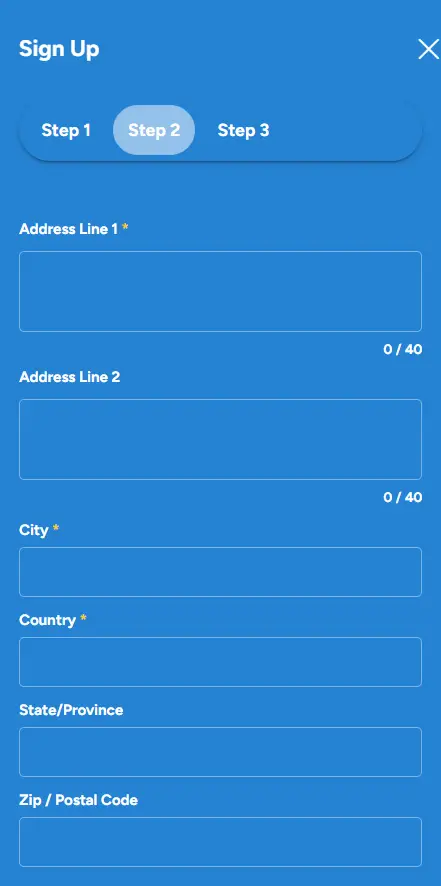
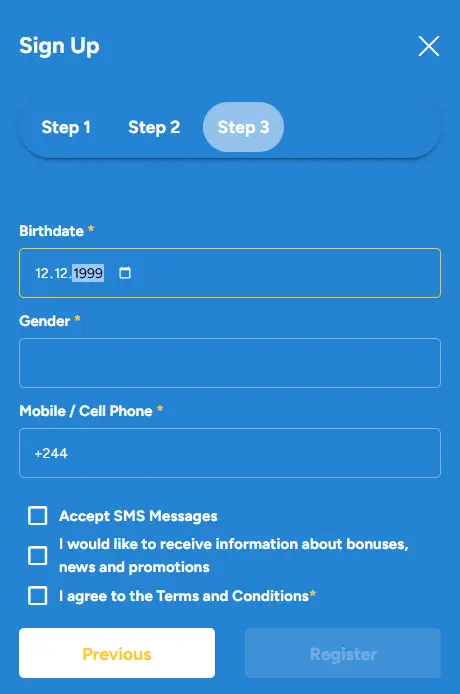
Open the Jack Million Casino homepage in your browser and locate the registration button in the upper right corner of the screen. Clicking it launches a short sign-up form. Work through the fields in order — the process is divided into two stages that the casino presents on successive screens.
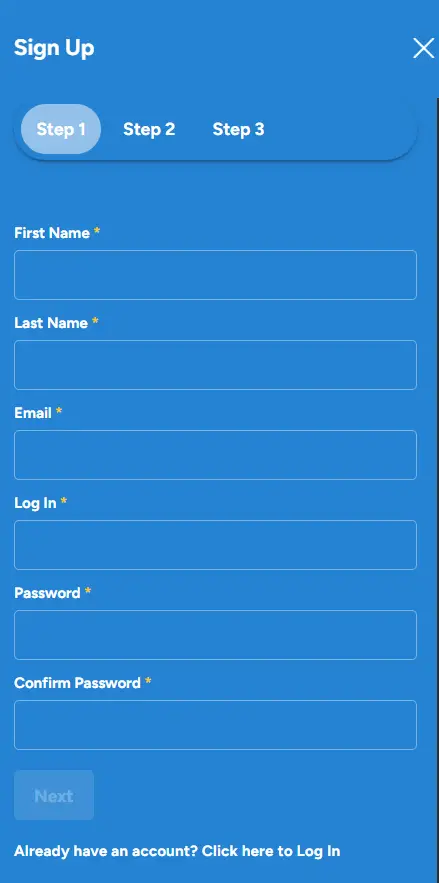
Stage 1: Account Credentials
The first screen asks for the details that will identify your account going forward.
- Email address: use an address you check regularly, as all bonus codes, withdrawal confirmations, and security alerts are sent here.
- Password: choose a combination of uppercase and lowercase letters, numbers, and at least one special character. A strong password is particularly important because the Jack Million login page is your only access gate to funds and personal data.
- Currency: select AUD from the dropdown menu. Australian dollars is the recommended choice for players based in Australia because it eliminates currency conversion fees on every deposit and withdrawal.
- Bonus code: if you have a welcome code, this is the place to enter it before completing registration.
Stage 2: Personal Details
The second screen captures the information required to verify your identity in line with the casino’s Curacao licence obligations.
- Full legal name: enter your name exactly as it appears on your government-issued ID. Any mismatch between your account name and your verification documents will delay withdrawals.
- Date of birth: you must be 18 or older to register. The casino performs age checks at the verification stage, and accounts found to belong to underage players are closed immediately.
- Residential address: provide your full Australian address including postcode. This address must match the proof-of-address document you submit during KYC verification.
- Phone number: a valid mobile number is required. It is used for account security alerts and, in some cases, two-factor authentication.
- Gender: optional field.
Once both stages are submitted, your account is created and you are logged in automatically. No email confirmation click is required before you can explore the lobby, though you will need to verify your identity before your first withdrawal is approved.
Completing KYC Verification
Jack Million Casino is licenced under the Curacao eGaming framework, which mandates Know Your Customer checks for all real-money accounts. Verification does not block you from playing, but it must be finalised before any cashout is processed. The documents the casino requires are straightforward.
- Proof of identity: a colour scan or clear photograph of your Australian passport, driver’s licence, or national identity card. The document must be valid and must show your full name, date of birth, and a photograph.
- Proof of address: a utility bill, bank statement, or government letter dated within the last three months showing your name and the residential address registered on your account.
- Proof of payment method: if you deposited by credit or debit card, a photograph of the card with the middle eight digits obscured is required. For e-wallets, a screenshot of the account dashboard showing your name and account ID is typically sufficient.
Documents are submitted through the Verification section of your account dashboard. The KYC team reviews submissions within 24 to 72 hours. Uploading your documents immediately after registration means verification is resolved well before you need to make your first withdrawal.
Logging In After Registration
Every subsequent visit to the site begins with the Jack Million login screen. Enter the email address and password you chose during registration, then click the login button. The session opens directly into the main lobby, where your account balance, active bonuses, and comp points tally are all visible in the header bar.
If you forget your password, the login page carries a “Forgot Password” link. Clicking it sends a reset link to your registered email address. The reset link expires after a short window, so it is best to action it promptly. Once a new password is set, you can return to the Jack Million login page and access your account as normal.
Security Tips for Your Account
Because your casino account holds both funds and sensitive personal data, a few security habits are worth adopting from the outset.
- Never share your password with anyone, including support staff. Jack Million Casino support agents will never ask for your password during a chat or email conversation.
- Avoid logging in over public or unsecured Wi-Fi networks. If you need to access your account while out, use mobile data instead.
- Log out after every session, particularly if you are using a shared or public device.
- Update your password periodically and avoid reusing passwords from other websites or services.
The casino protects all data transmissions with 256-bit SSL encryption, which is the same standard used by major financial institutions. This means the information exchanged between your device and the server during the Jack Million login process — including your password and payment details — is fully encrypted and cannot be intercepted by third parties.
Mobile Login
There is no app to install for Australian players. The casino’s HTML5 platform runs in any modern mobile browser, meaning the login page, the lobby, and the cashier are all accessible from iPhone, iPad, or Android without any additional software. Tap the browser address bar, navigate to the Jack Million Casino website, and the mobile-optimised login form loads instantly. The experience is identical to desktop in terms of functionality, though the layout adjusts to fit smaller screens cleanly.
If you play regularly from your phone, most browsers offer a “Add to Home Screen” option that creates a shortcut icon on your device’s home screen. Tapping that icon takes you straight to the login page without needing to type the URL each time.